

6.9. Exercise: Wiring#
6.9.1. Instructions#
Complete the pre-watch if you have not already.
Read the information below.
Answer the following questions.
6.9.2. Pre-Watch#
Wokwi Documentation
Read the Wokwi diagram editor documentation here:
https://docs.wokwi.com/guides/diagram-editor
Wokwi Hardware
A list of supported hardware in the Wokwi simulator is available here:
https://docs.wokwi.com/getting-started/supported-hardware
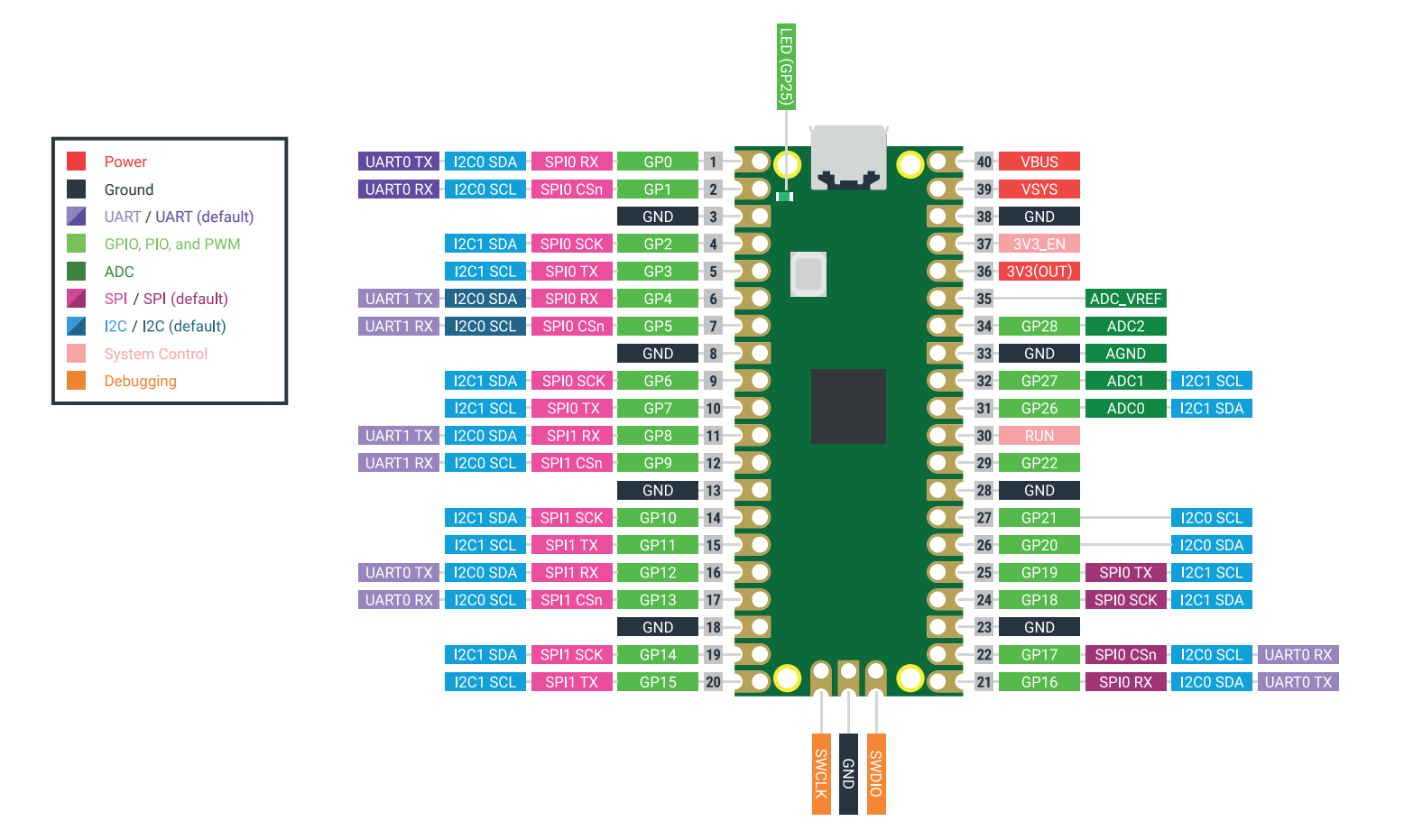
Raspberry Pi Pico Pinout
Use the pinout diagram below to help you answer the following questions.
Question 1
Open Wokwi and start a new project using a Raspberry Pi Pico with MicroPython.
Add the following components from the Wokwi parts library:
A4988 stepper motor driver module
Bipolar stepper motor
External \(12 \text{ V}\) DC power supply, as a generic voltage source
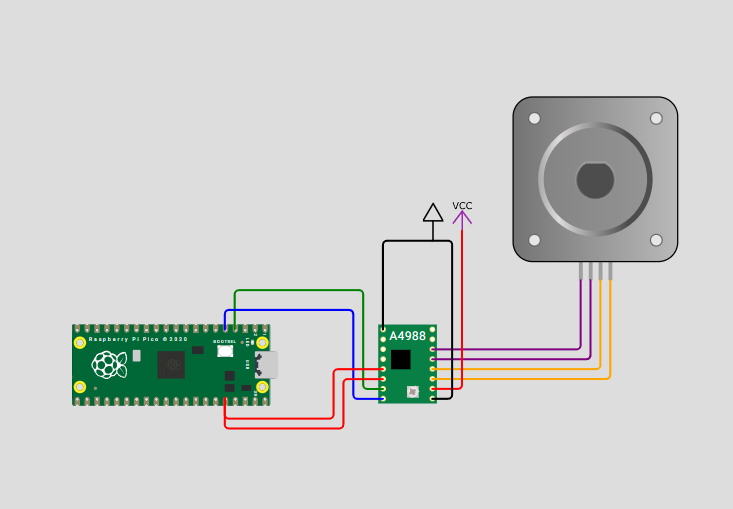
Wire the components as follows:
Power
Connect VMOT on the A4988 to \(+12 \text{ V}\).
Connect GND on the A4988 power side to \(12 \text{ V}\) ground.
Connect VDD on the A4988 logic side to the Pico’s \(3.3 \text{ V}\).
Connect GND on the A4988 logic side to the Pico’s GND.
Motor coils
Connect A1 and A2 to one coil of the stepper motor.
Connect B1 and B2 to the other coil of the stepper motor.
Control signals from Pico GPIOs
Connect STEP to Pico pin GP2.
Connect DIR to Pico pin GP3.
Tie ENABLE to GND to enable the driver.
Put an image of your diagram in the answer box.
Solution
Question 2
Why is the motor powered from a separate \(12 \text{ V}\) supply instead of from the Pico?
Solution
Solution is locked
Question 3
What role does the A4988 module play between the Pico and the motor?
Solution
Solution is locked