

2.6. Inspecting Elements#
Modern web browsers come with built-in developer tools that allow you to inspect and modify the HTML and CSS of a webpage in real-time.
Open Developer Tools:
Right-click on any element on a webpage and select “Inspect” or “Inspect Element”.
Alternatively, you can press F12 on your keyboard.
Explore the Elements Panel:
You’ll see the HTML structure on one side and the CSS styles on the other.
Click on different elements to see their properties.
View the Box Model:
In the styles pane, look for a diagram representing the box model.
It will display the margins, borders, padding, and content size of the selected element.
Example:
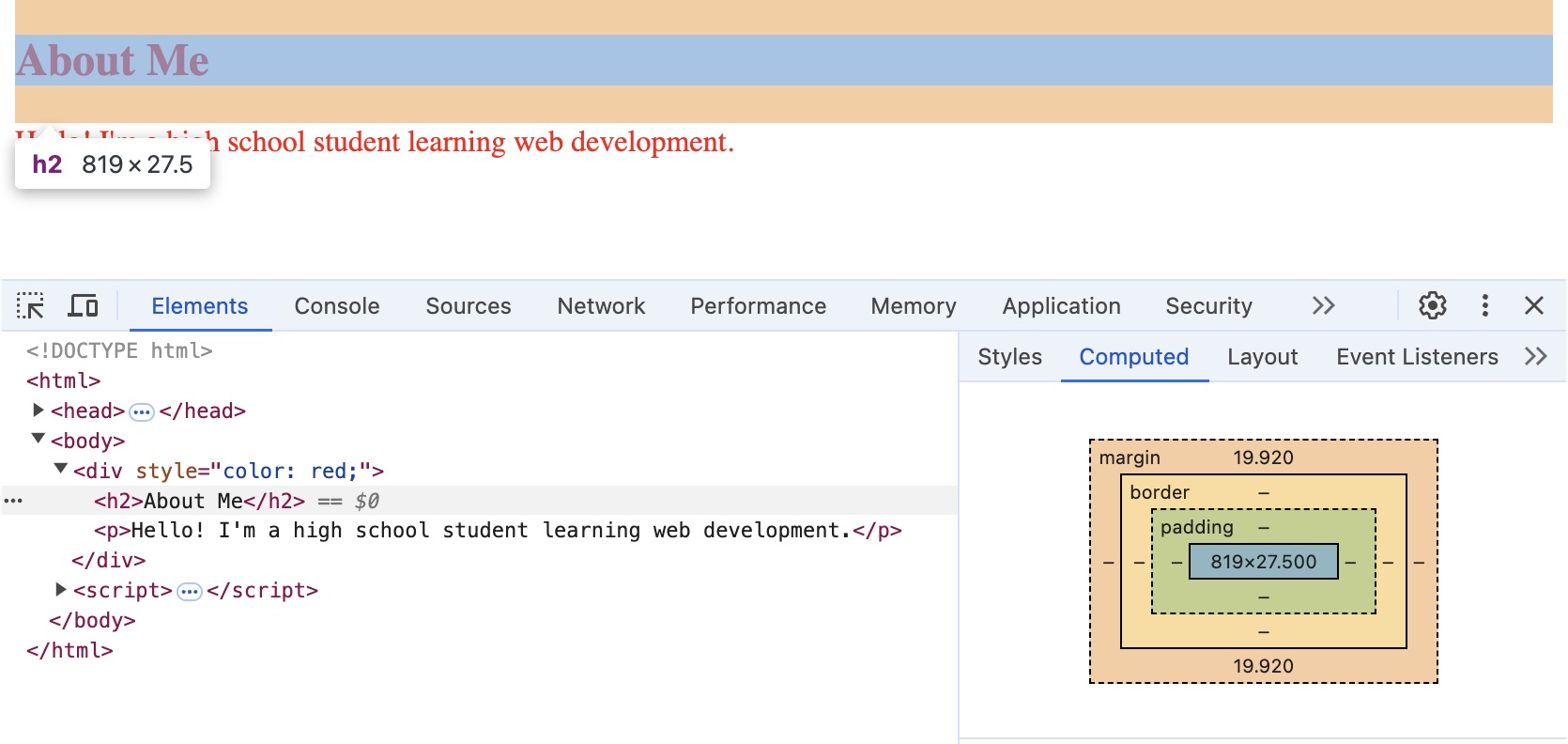
Web inspector view of an earlier example showing the margin of the <h2>#